A: you pick the look
Concept art sets the style. Blockouts set the shape. One lock.
flowchart LR
  a1["A.1 Setup"] --> a2["A.2 Information gathering"] --> a3
  subgraph a3["A.3 Concept"]
    direction TB
    st["Style track<br/>text to image"]
    lt["Layout track<br/>blockouts in Unity"]
    sr["Style rounds<br/>palette, materials, lighting"]
    st --> sr
  end
  a3 --> a4(["A.4 Design Lock<br/>you approve once"]):::user
  classDef user stroke:#1a7f37,stroke-width:2px
In A.2 the agent reads what you gave it and asks only about the gaps. A.3 then runs on two separate tracks.
Style track
Text to image only. No reviewer: you pick.




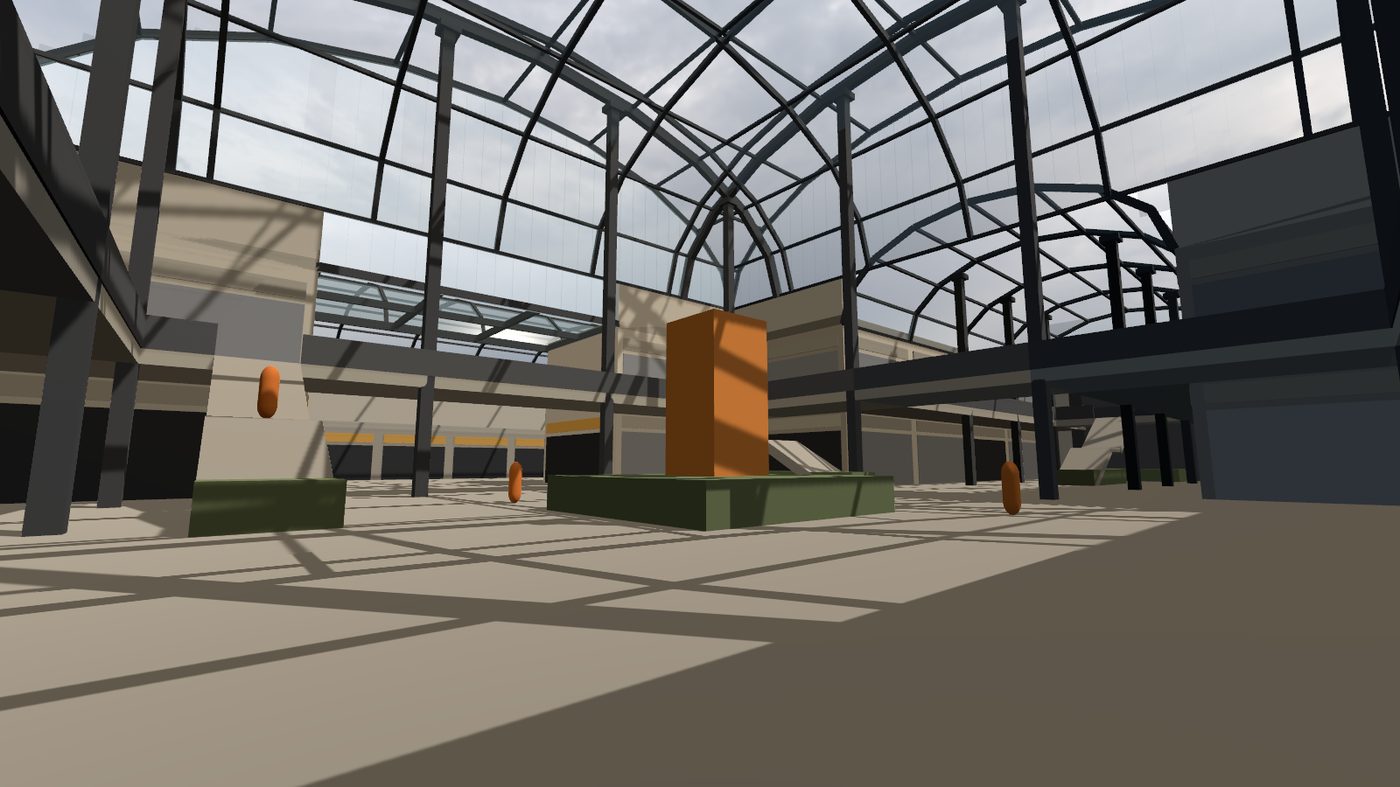
Four picked concept images from Crescent Lagoon. Each one became the target for its part of the world.
The images show the furnished, lived-in world, never empty rooms. Refining a look changes the prompt text. A picked image is never fed back in.
Layout track
Blockouts in Unity, shown as plain captures. layout-reviewer ranks them. Your pick is the acceptance.
A blockout is a rough 3D model made of plain shapes. A shell is the building without anything in it.
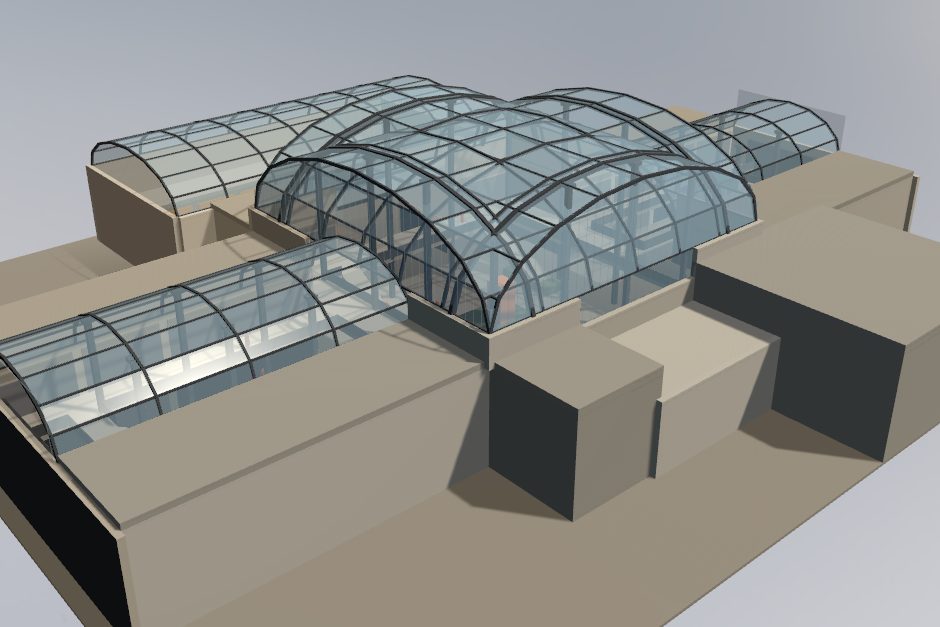
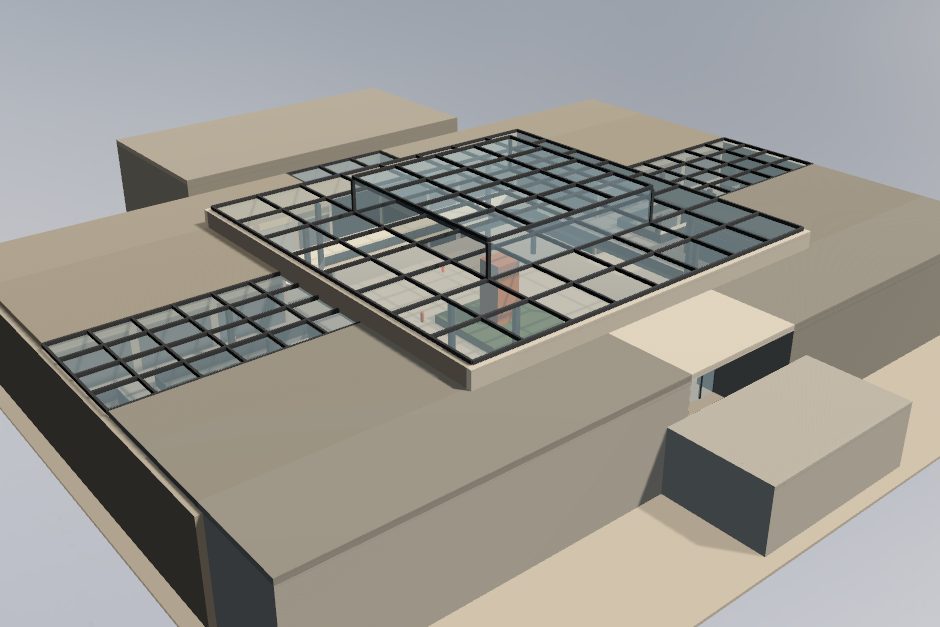
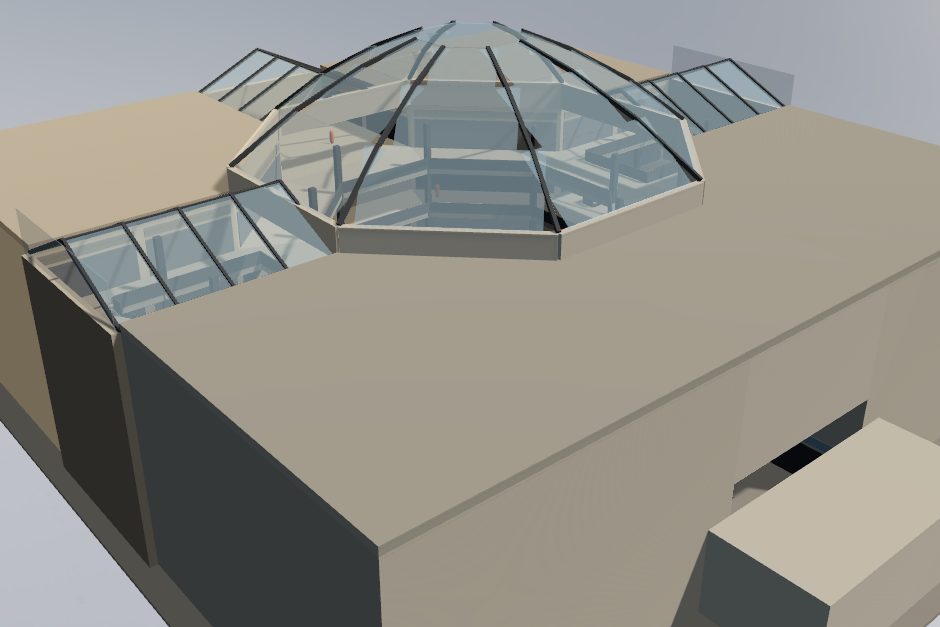
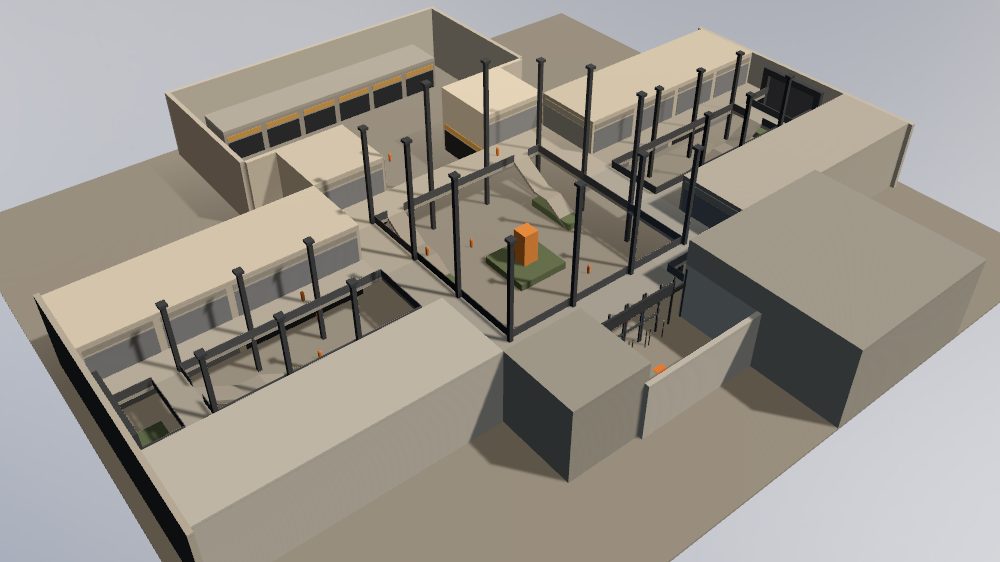
Three shell layouts for the mall floor of Valley Citadel, all real captures of the Unity scene.
- 2 to 3 layouts that really differ, massing only.
- No paint-overs: a text image never defines geometry.
- The picked shell is locked as a scene object and its data file, never taken from an image.
Style rounds
Palette, materials and lighting sheets, one round each, until you approve the set.
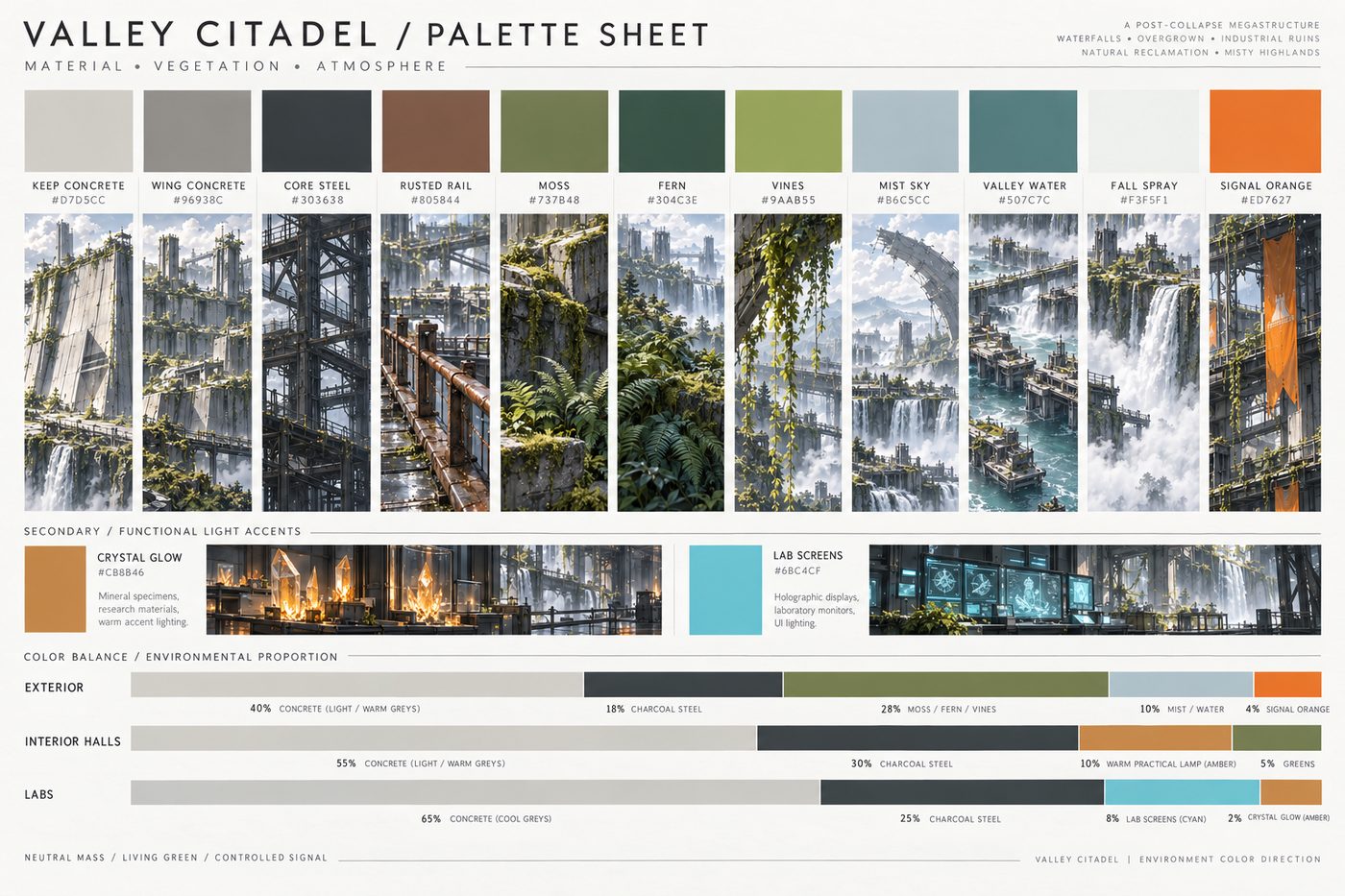
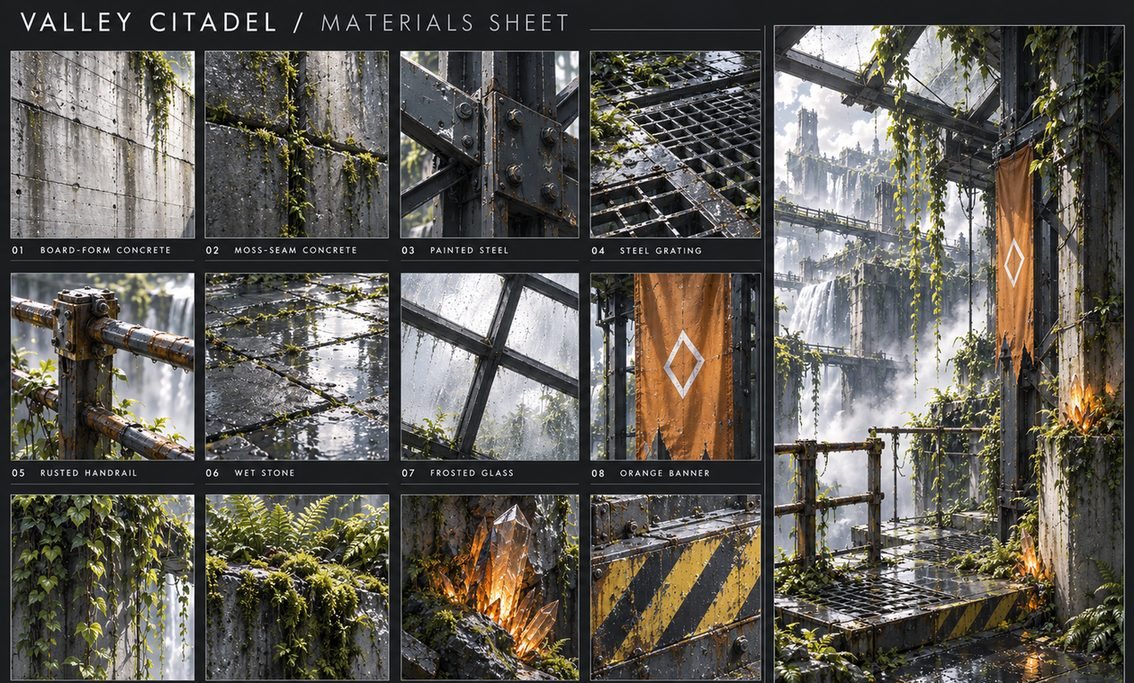
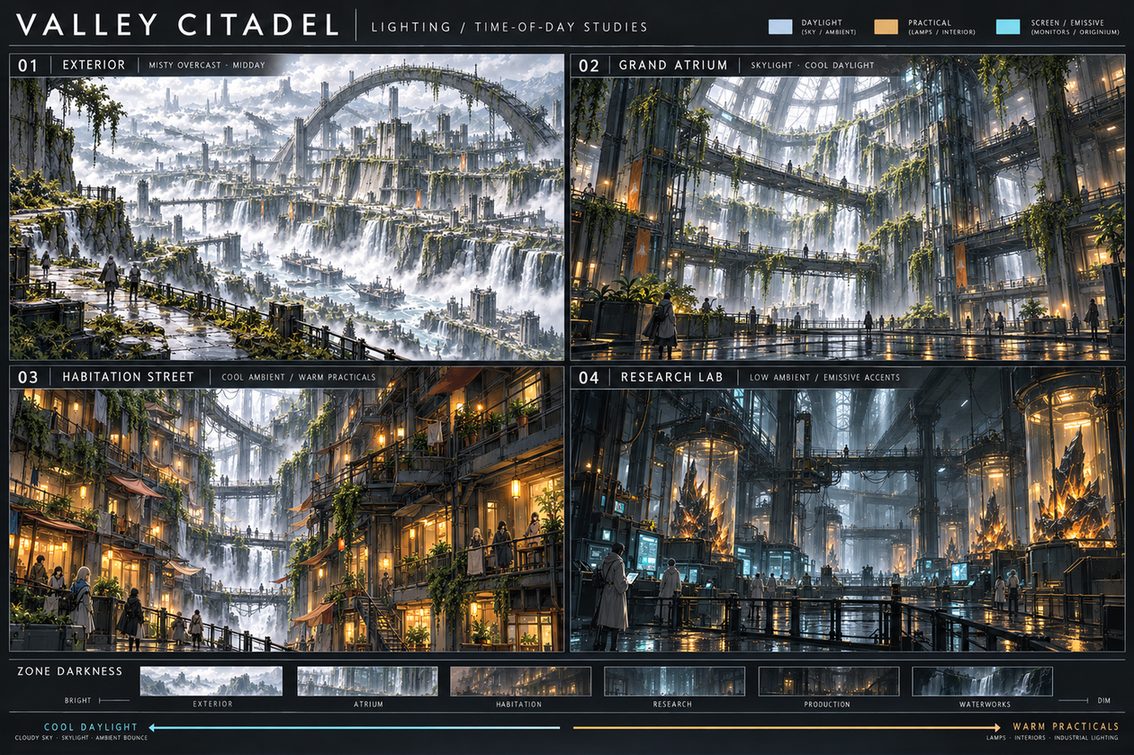
Style sheets from Valley Citadel.
A.4 Design Lock
Approved once. Every builder and every reviewer works to it.
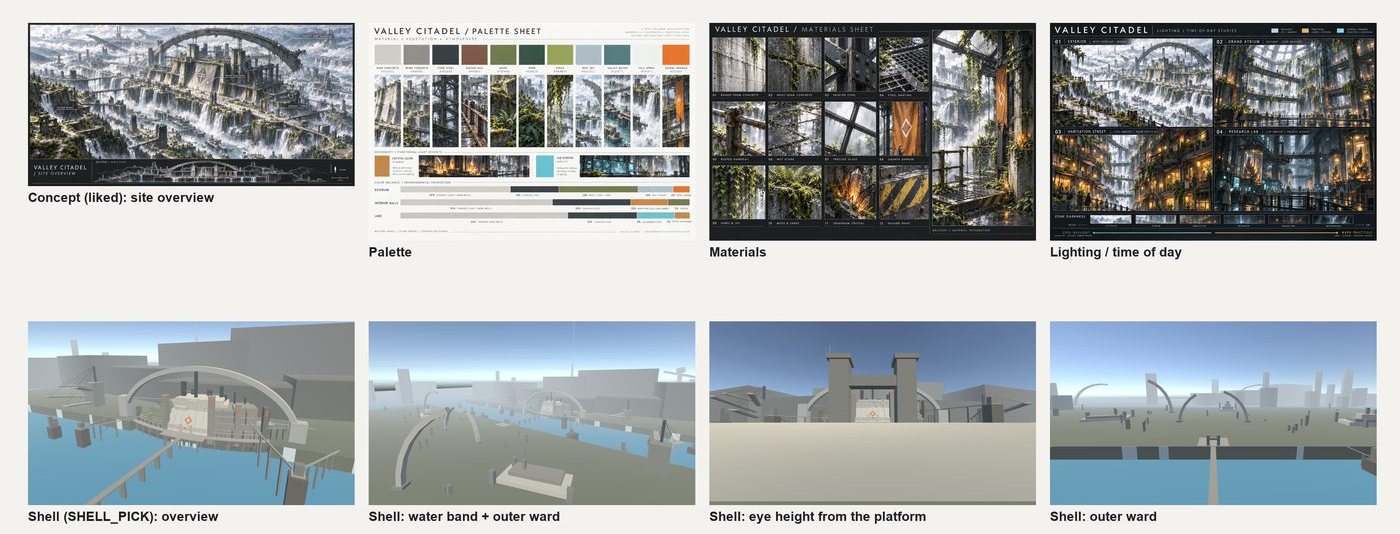
The lock sheet shows the brief summary, the picked shell layout with its concept art, the style images and the involvement preset. After your approval a lock item changes only when you reopen it.
Images are feel references, not blueprints
Concept art binds what is there: structures, signature pieces, mood, palette, materials, lighting character, density. It never sets exact positions, proportions or layout. Those come from the picked shell and the greybox.
How much you decide
You choose the involvement preset at the end of A.2. You can change it at any time.
| Preset | You decide |
|---|---|
| Design lock, then autopilot (default) | the answers in A.2, the concept pick and each style round in A.3, the lock in A.4, the upload in D.3 |
| Every step | the default, plus a checkpoint after every stage |
| Custom | the default, plus the stops you name |
A.3 and D.3 stay yours in every preset.
Next: Structure.