World defaults
Every world starts from the same settings. Some are hard rules. The rest are defaults that you can change for one world.
- Hard rule: holds in every world. See Hard rules.
- Default: you tell the agent what you want instead. It records your words in that world's decision database, and every agent follows them from then on. A recorded decision beats workspace defaults and skill defaults (hard rule 12).
| Topic | Kind | Where the kit keeps it |
|---|---|---|
| Scale | Hard rule 8 | RULES.md, AGENTS.md "Scale", skills/spatial-design section 5.9 |
| Collision | Hard rule 2 | RULES.md, AGENTS.md "Movement collision" |
| Seats | Hard rule 3 | RULES.md, AGENTS.md |
| Jumping | Hard rule 2 | RULES.md, AGENTS.md "Movement collision" |
| World sounds | Hard rule 13 | RULES.md, AGENTS.md "World sounds" |
| Pickups | Default | AGENTS.md "Pickups" |
| Saved player options | Default | AGENTS.md "Player options persist" |
| Lighting standard | Default, with hard rules 6 and 11 inside | skills/bakery-light-baking/SKILL.md |
| Performance budgets | Default | agents/perf-optimizer.md "Default budgets" |
| Clip planes and world size | Default | skills/clip-planes/SKILL.md |
Scale
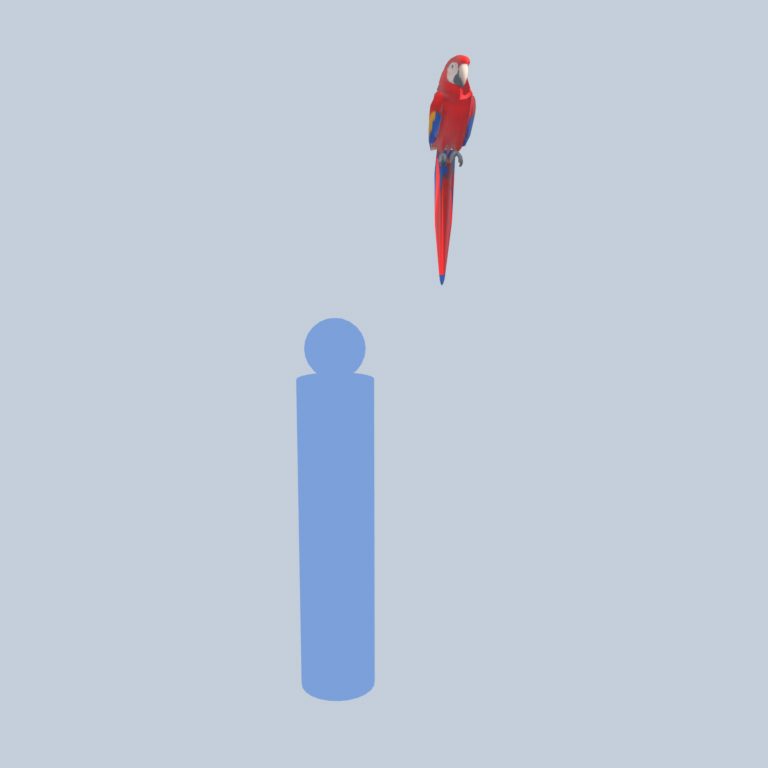
The 1.4 m scale figure used in every check, here beside a parrot model.
Hard rule 8. People are 1.4 m tall, with the eye at 1.3 m.
| Scaled ×0.8 | Real size, ×1.0 | Never below |
|---|---|---|
| Room plans, ceilings, storey heights, corridors, doors, stairs, outdoor paths | Seats (about 0.45 m), tables (about 0.75 m), beds, sofas, counters, wardrobes, appliances | Clear height 2.3 m |
| Decor props and pickups | Built-in benches and window seats | Door height 2.1 m |
| Trees, shrubs, rocks, landmarks, hills, bridges, outbuildings | The spacing between furniture: stool pitch, diner clearance, seat to coffee table | Primary path 2.0 m, stair width 0.91 m |
- The agent fixes an imported model to real size first, then applies the factor.
- A scaled value never goes below its collision minimum. A room may read slightly large rather than block a player.
- Views are tested at eye height 1.3 m, at 0.9 m for very small or seated avatars, and at 1.6 m for full-size ones.
- The spatial-design guide confirms the reference eye height with you at intake. Groups with full-size avatars use 1.6 m.
- An existing world is not rescaled unless you ask.
Why. The kit builds for groups that play small avatars. A full-size shell felt empty to them. VRChat's player collision does not shrink with the avatar, so the minimums stay.
Collision
Hard rule 2. The full table is on Hard rules.
| Solid | Walked through | Switched by the player |
|---|---|---|
| Floors, terrain, decks, bridges, stair ramps | Chairs, stools, couches, armchairs | Lie-down colliders on beds, couches and cuddle platforms |
| Building walls, rocks, large solid masses | Coffee, side and bedside tables | Off by default, one toggle for the whole world |
| Big furniture: big tables, counters, bars, cabinets, wardrobes, bookcases | Decoration and ground clutter | |
| Every tree trunk | Shrubs and ground cover | |
| Fences, railings, balustrades, low walls |
- Tree trunks: one capsule per tree, fitted to the visible trunk at 0.5 to 1.5 m, radius within about 5 cm, tilted with leaning trunks. Multi-stem trees get one capsule per stem.
- No barriers: no invisible walls at edges, shores or water. The respawn height catches falls. A hazard that must stay closed becomes a visible wall, and only when you ask.
- Buildings: a path that leads to a building ends at a door at least 1.0 m wide and 2.1 m tall. A deck from the path to the door is at least 1.2 m wide.
- Lie-down colliders are for players without full-body tracking. Full-body players leave them off.
Seats
Hard rule 3. No seat station (VRC_Station) on any furniture or prop unless you ask for it.
When you ask, the agent records it in the world's WORLD.md.
Jumping
Part of hard rule 2. Jumping is on in every world, because VRChat's default jump impulse is 0. One local UdonSharp script sets it for the local player:
| Setting | Value |
|---|---|
| Jump impulse | 3 |
| Walk speed | 2 |
| Run speed | 4 |
| Strafe speed | 2 |
| Gravity | 1 |
A world without this script has a blocker at the interactions stage.
World sounds
Hard rule 13. Every world has sound, and the spawn menu switches it.
| World | Sound |
|---|---|
| With a video player | An idle playlist that plays when nobody queued anything. Pure music only |
| Without one | Looping global 2D ambience that matches the world: rain, wind and leaves, waves |
- The spawn settings menu has a world-sound control: on or off, plus quieter. It is local and saved.
- Loops are CC0 or licensed, compressed and credited.
- A loop must wrap without a click, gap or level step. The agent proves it by joining the last and first seconds.
Pickups
Default. A pickup is an object players can grab.
| Setting | Value |
|---|---|
| Which objects | Only those you asked for |
VRC_Pickup.proximity |
0.1 (10 cm). Never 0, 0.2 or the SDK default of 2 m |
| Auto hold | AutoHoldMode.No |
| Collider | One tight primitive around the grabbable prop |
| Gravity and networking | Kept as they are |
A recorded decision for one world can change these. The kit's own example: a skill says pickups get gravity, and a project's decision that its plushies have none wins.
Saved player options
Default. Every option a player picks is saved and applied again on later visits. That covers toggles such as the lie-down colliders, language, sliders, quality and comfort choices.
- Saved with VRChat Persistence (
PlayerData), for the local player only. Nothing is synced. - One key per option, named
<script>.<option>. - The agent proves it in the editor: change the option, stop, play again, read it back.
Lighting standard
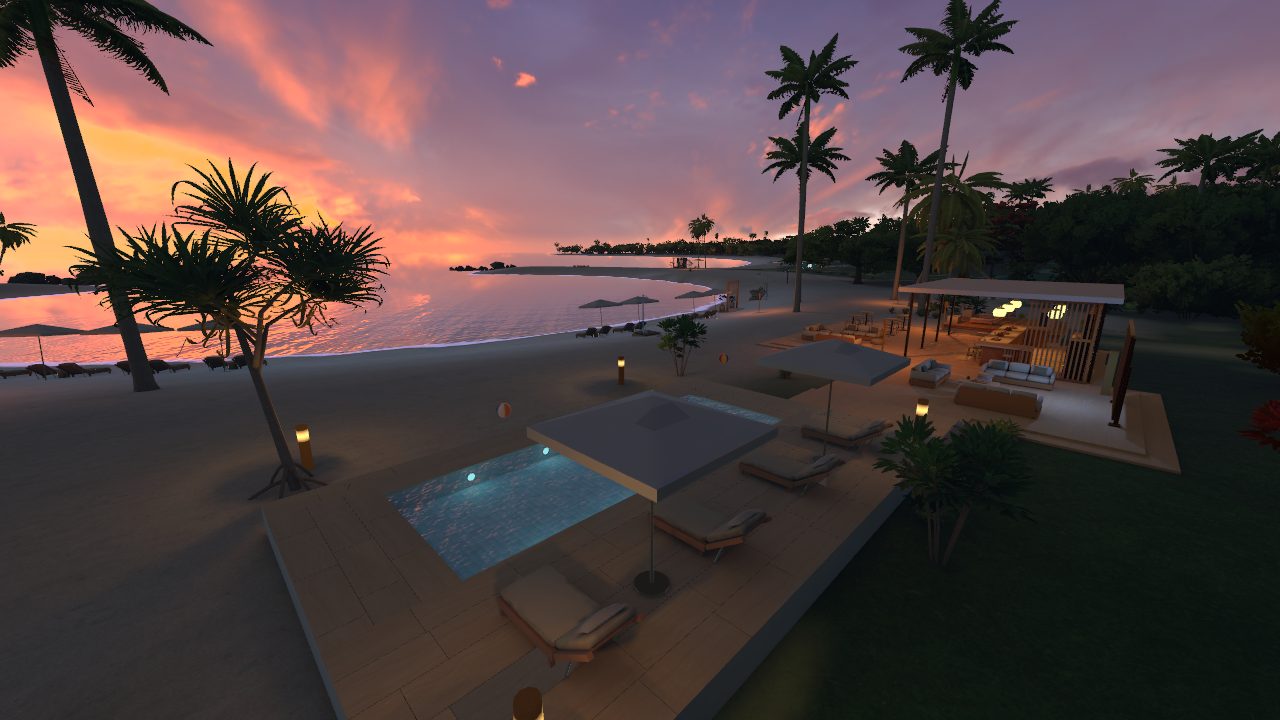
Fully baked dusk lighting, no realtime lights. This is a quick test bake and has not been reviewed.
Default for every world, whichever lightmapper bakes it. You may change it for one world.
The change and your words go into that world's WORLD.md, and then WORLD.md wins.
| Standard | What it means |
|---|---|
| No realtime or Mixed lights | Lighting is fully baked, outdoors too. The sun stays in the scene as a Baked light |
| Lightmapper | Bakery if licensed, else GLIM (free), else Unity Progressive GPU |
| VRC Light Volumes in every world | Volumes cover every playable area. They light everything that is not lightmapped: pickups, moving parts, plushies |
| Light probes are a fallback only | For legacy avatars and for pixels outside every volume |
| Nothing that does not move goes unlightmapped | Every static opaque object is lightmapped, however small |
| Every interior space has its own light source | Sky and bounce alone leave enclosed spaces black. Corridor fixtures sit about 6 to 8 m apart |
| Cozy and night interiors go darker than instinct | Deep shadow with small warm pools. A level you approved is never raised |
| Reflection probes right after every bake | Hard rule 6 |
| Test bakes are quick, at most 10 minutes, one at a time | Hard rule 11 |
Exceptions to "everything static is lightmapped": transparent surfaces, runtime screens, objects that carry a Bakery light mesh, and small props whose lightmap layout fails the audit, such as fruit, figurines and pillows. Light Volumes light those instead.
Performance budgets
Default for PC, checked per player viewpoint in play mode. You may override them for one world.
| Budget | Limit |
|---|---|
| Visible triangles | 3 M or fewer from any player viewpoint |
Camera.Render CPU time |
4 ms or less |
| GPU frame time | 8 ms or less |
| Draw calls | 1000 or fewer, 500 or fewer preferred |
| Texture memory estimate | 400 MB or less |
| Upload size | 200 MB or less |
- Textures are compressed. Mirrors start off.
- The agent finds what costs the time before it optimizes anything.
- The world still has to look nice. That outranks the texture memory and upload budgets. If a budget can only be met with a visible loss, the agent reports the tradeoff to you instead of applying it.
- Budgets are pass or fail. The agent also reports a benchmark grade that predicts how the world feels in a headset.
- A planned Android or iOS build has its own budgets in
skills/vrchat-android-worlds/SKILL.md.
More: perf-optimizer.
Clip planes and world size
Default. Clip planes are the nearest and farthest distances the camera draws.
The numbers come from skills/clip-planes/SKILL.md and are set up during the interactions stage.
| Setting | Value |
|---|---|
| Reference Camera near clip | 0.01 |
| VRChat's default far clip | 1000 m |
| Runtime near clip for intimate interiors | 0.001 to 0.003, set by script |
| Near-clip rule | At most half the distance to the closest surface that must stay intact |
| Cuddle zones | Less than 256 m from the world origin on every axis |
| Any space players occupy | Less than 512 m from the world origin |
| Spawn and main social area | At the origin |
| Teleport islands | At least 200 m from the main area and from each other |
| Surfaces that meet | Never coplanar. Joints overlap 1 to 3 cm, decals stand off at least 1 mm |
Why. Position precision drops with distance from the world origin. Far out, a face 2 cm from the camera starts to shimmer. A small near clip lets people get closer, so it makes that worse. Fog or a matching sky colour hides the far cut.